Usage Guide
This guide explains how to use HoHatch for modding Shadowverse: Worlds Beyond.
➡️ Injecting JPGs (Modding the Game)
This section explains how to convert a JPG image to DDS and inject it into the game.
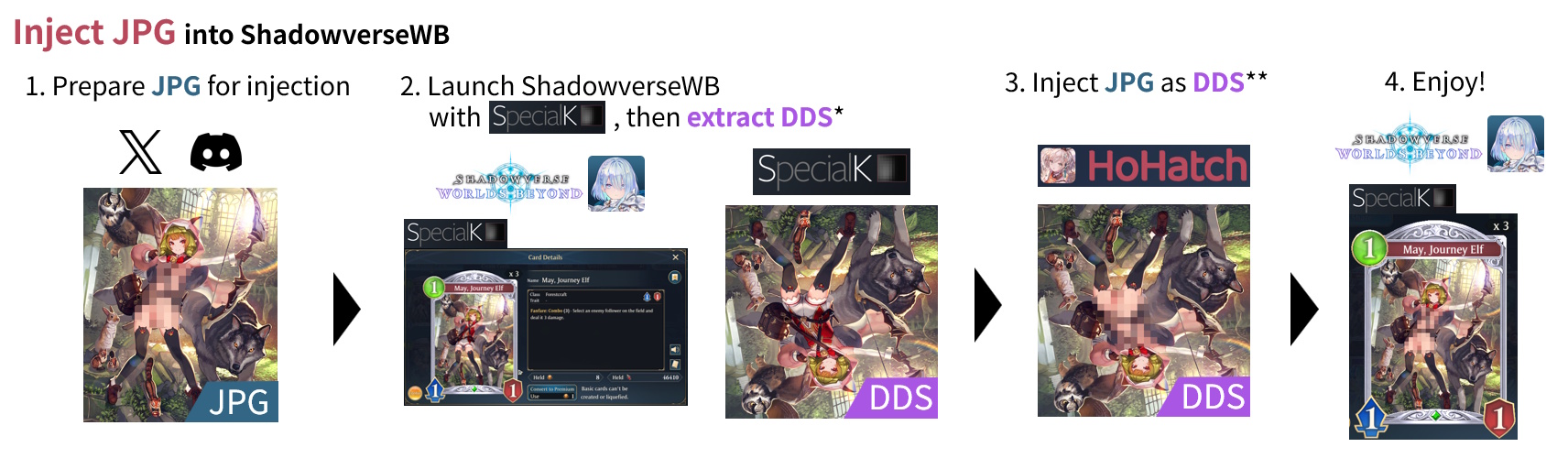
- Prepare the JPG for injection
- Launch ShadowverseWB with Special K, then extract the DDS*
- Inject the JPG as DDS**
- Done! Enjoy!
*Extract DDS with Special K
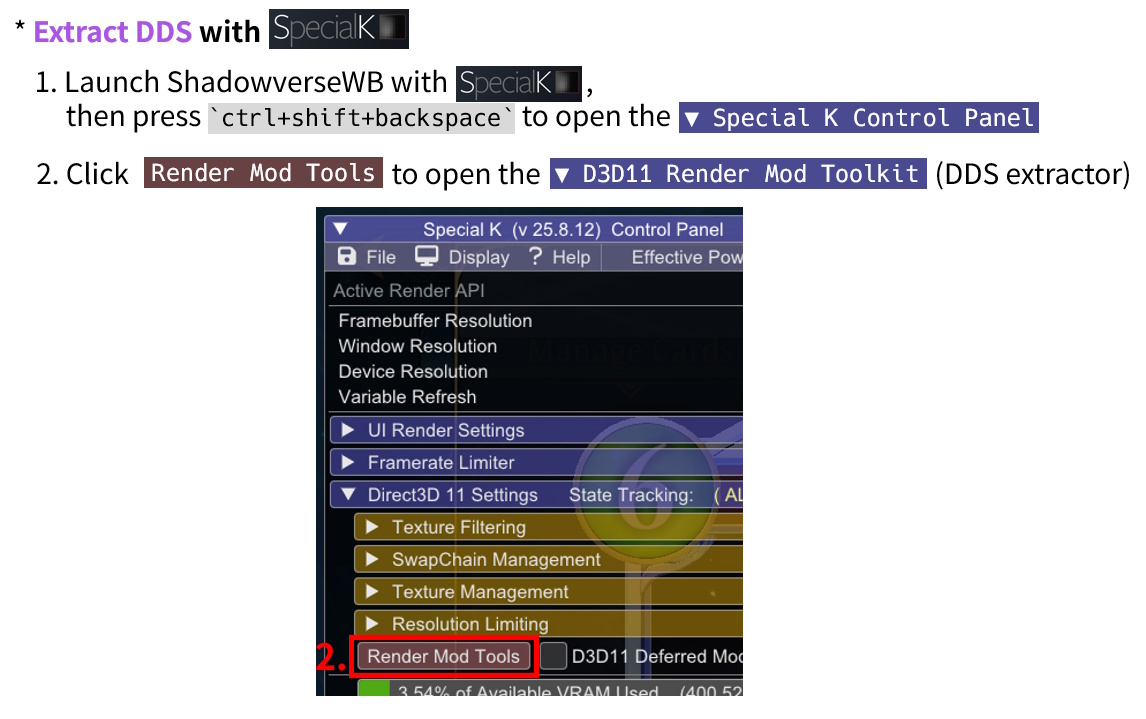
- Launch ShadowverseWB with Special K, then press
Ctrl+Shift+Backspaceto open the "Special K Control Panel" - Click "Render Mod Tools" to open the "D3D11 Render Mod Toolkit" (DDS extractor)
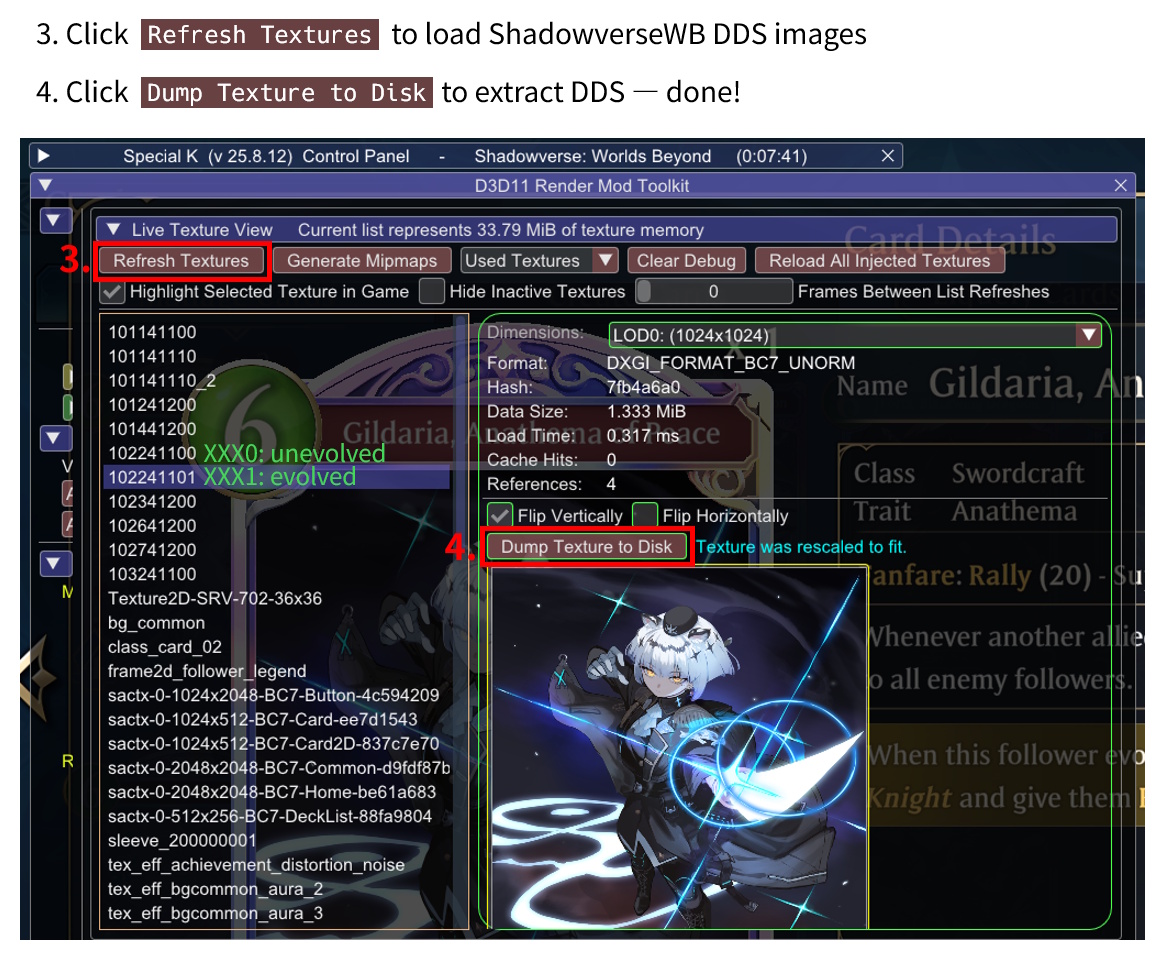
- Click "Refresh Textures" to load ShadowverseWB DDS images
- Click "Dump Texture to Disk" to extract DDS — done!
**Inject JPG with HoHatch
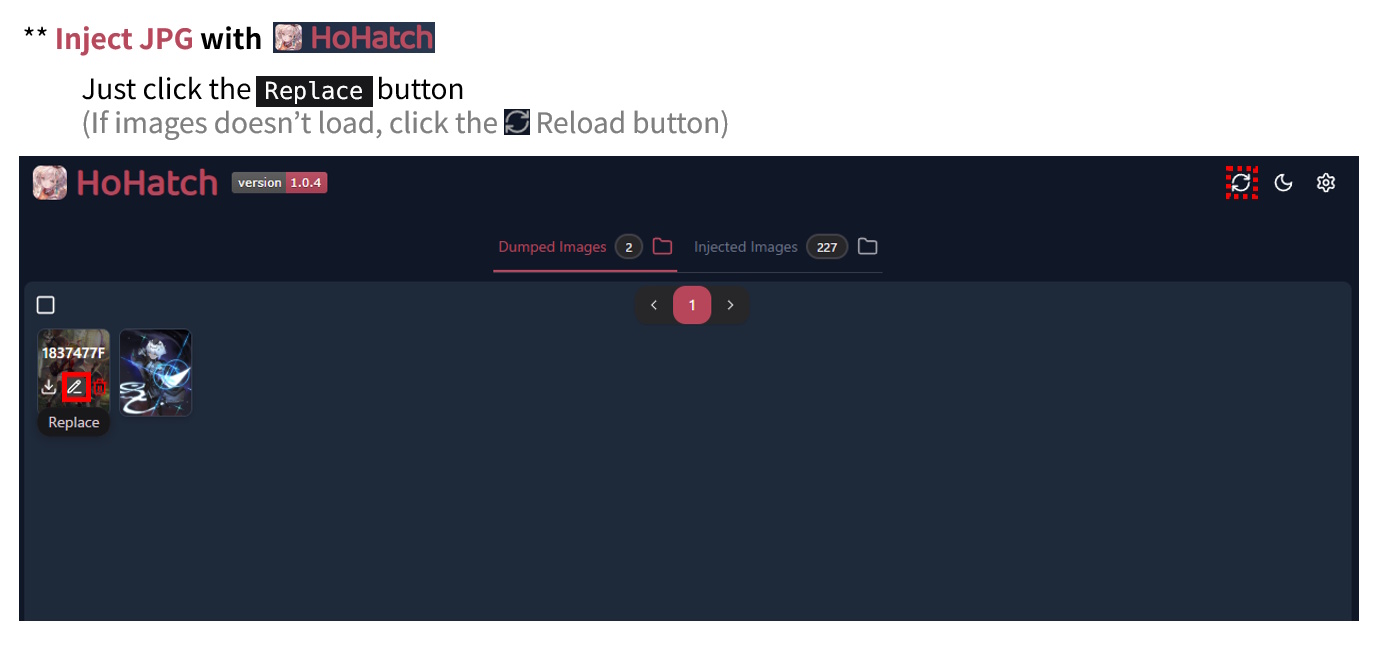
Just click the "Replace" button
About Reloading
If images don't load, click the "Reload" button
⬅️ Extracting JPGs (Getting Game Assets)
This section explains how to extract in-game images as JPG files.
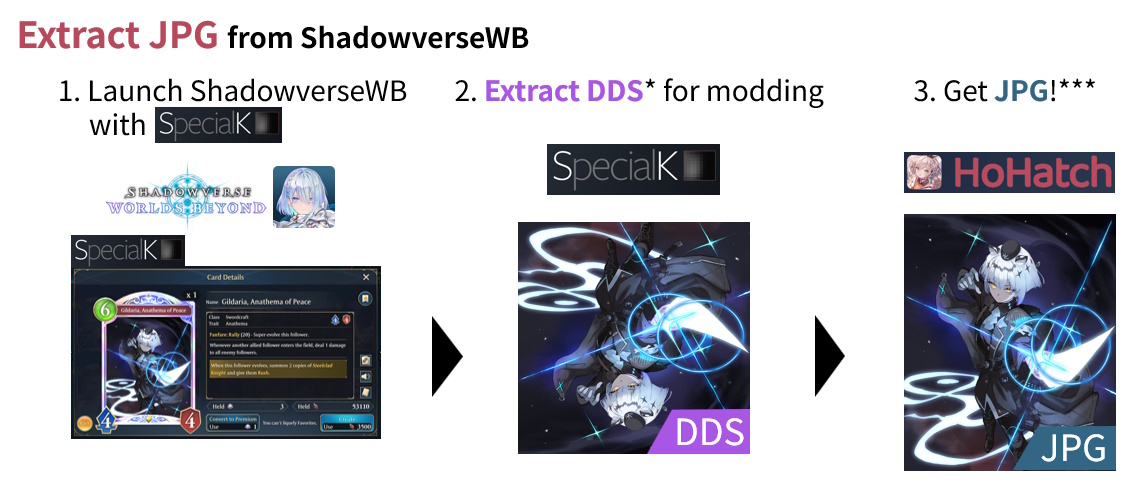
- Launch ShadowverseWB with Special K
- Extract the DDS* for modding
- Convert to JPG***
***Convert to JPG with HoHatch
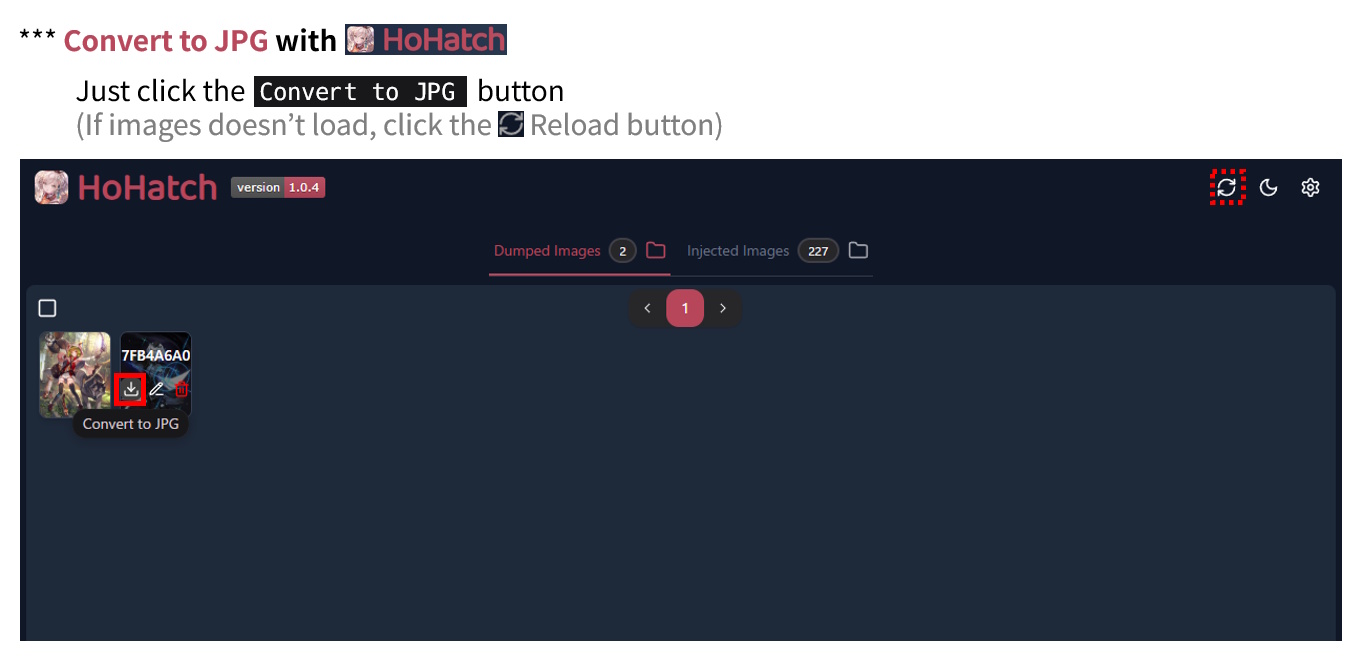
Just click the "Convert to JPG" button
About Reloading
If images don't load, click the "Reload" button